SHIP AT AN
irresponsible
SPEED.
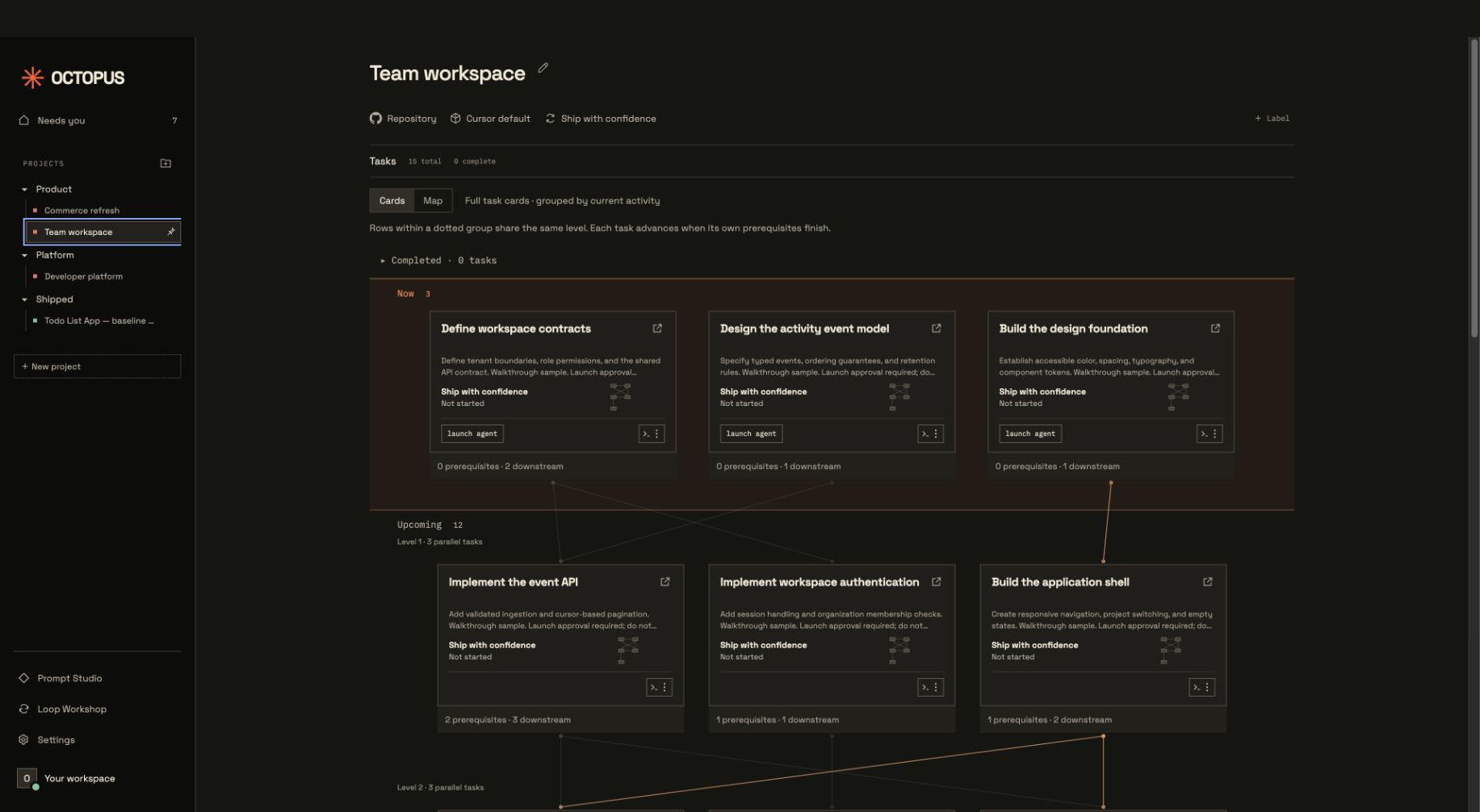
Octopus turns project plans into coordinated agent workflows, tracking dependencies, progress, and checks through to completion.
ACTUAL PRODUCT THIS TIME. STILL TOO MANY ARMS.

HAPPENS
IN ITS NATURAL HABITAT
From “what if”
to “done, verified.”
Plan it. Set the quality bar. Let your coding agent drive. Check the receipts.
A little planning.
A lot less untangling.
Give your client a repository and a finish line. Ask for reviewable tasks with real dependencies.
Review the plan before launching workers.
 Codex/goal
/goal drive project {project_name} to completion Claude Code/loop
/loop drive project {project_name} to completionThe agent finds the skills and drives the project.
Replace {project_name} with your project. Connect Octopus to your client first.
Less waiting.
More shipping.
Give your side project a suspiciously competent project manager.
curl -fsSL https://octopus.click/install.sh | bashInstalls in ~/Applications. No administrator access or developer tools needed. Inspect the installer ↗
- 1Open Octopus → Settings → Connections.
Connect GitHub and your providers.
- 2Set up your coding client.
Set up Codex or Claude Code, then reconnect the client.
- 3Ask it to plan your first project.
Ask it to use Octopus. Review the plan before launching.
This is a preview, not an Apple-notarized release. macOS may require approval in Privacy & Security after the first launch attempt. Provider accounts and usage charges are yours.
Before you
grow attached.
Is this another coding agent?
Your coding client coordinates. Task workers implement. Octopus keeps the plan, workflow state, and evidence together.
What runs on my Mac?
Octopus coordinates locally and stores projects on your Mac. Workers run through your provider. Keep Octopus open while driving projects; cloud workers may continue after you quit.
Can I keep manual control?
Yes. Review plans, set approval gates, and choose when to merge. Pausing a Codex goal does not stop running cloud workers; use Octopus task controls for those.
Does it actually have eight arms?
In the illustration, yes. In your project, dependencies and available workers still apply. Biology was easier.